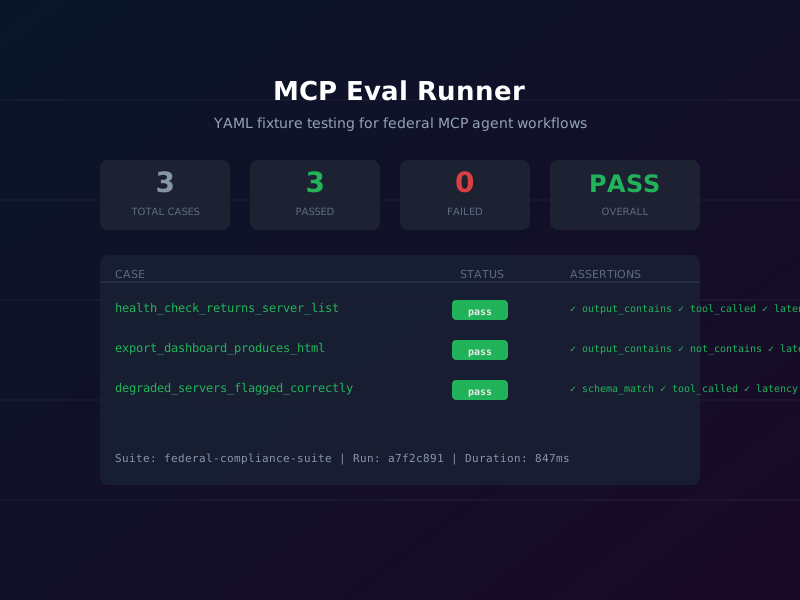
Federal IT requires formal testing and verification at every layer of the technology stack. A healthcare benefits portal must pass 508 compliance testing before launch. A SIEM integration must be validated against known threat signatures before being accepted into the ATO boundary. An AI agent that classifies documents and routes workflows deserves the same rigor — but until now, there was no standardized way to write deterministic tests for MCP-based agent tools.
MCP Eval Runner fills that gap. It provides a
YAML-based fixture testing framework for MCP servers, with
support for both static simulation mode (no live server
required) and live mode that spawns the actual MCP server and
executes real tool calls. Tests integrate directly into CI
pipelines via GitHub Actions, produce HTML audit reports, and
can block deployments through a
evaluate_deployment_gate tool that returns a
structured pass/fail decision.
The package ships as mcp-eval-runner on npm
(v1.0.0) and passes 239 tests in its own CI pipeline — a
concrete demonstration that the framework tests itself. Source
is at
github.com/dbsectrainer/mcp-eval-runner.
239
Tests passing in CI
For this plugin alone
7
Assertion types supported
output, schema, latency, and more
Sim + Live
Execution modes
Static fixtures or real server calls
What is MCP Eval Runner?
MCP Eval Runner is an MCP server that provides a testing harness for other MCP servers. Its architecture has two key modes:
- Simulation mode: Test cases define static expected outputs. The runner evaluates assertions against pre-recorded responses without spinning up a live server. This is ideal for unit-style tests in CI where you want fast feedback without external dependencies.
- Live mode: The runner spawns the target MCP server as a subprocess, calls the real tools with the fixture inputs, and evaluates the actual responses against assertions. This catches integration regressions that simulation mode cannot.
Additional capabilities that matter for federal deployments:
- YAML/JSON fixtures in version control: Test definitions are plain text files that live in the same git repository as the MCP server code. Every change to a fixture is tracked in history and can be reviewed in a pull request.
- CI-ready with GitHub Actions: The runner exits with a non-zero code on test failure, making it a drop-in step in any CI workflow.
-
HTML report generation: The
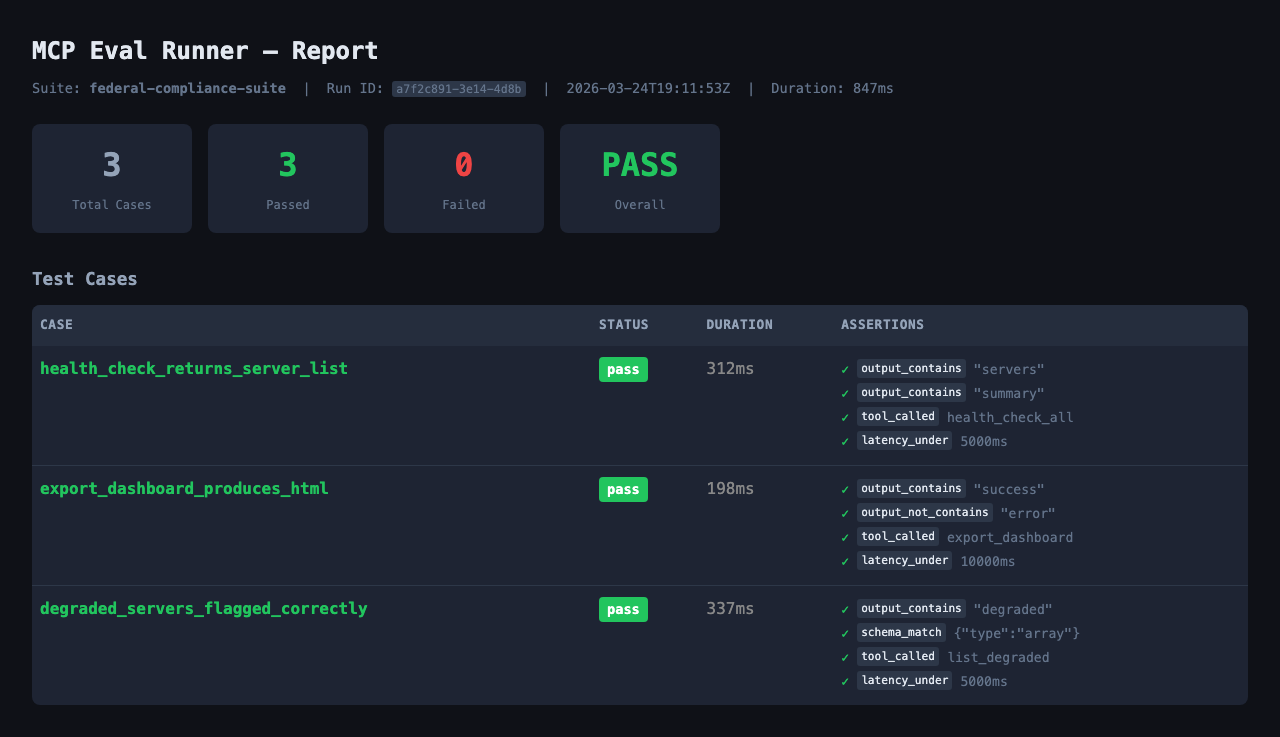
generate_html_reporttool produces a self-contained HTML file with pass/fail status, per-assertion drill-down, and latency metrics — suitable as a formal test evidence artifact. -
Regression detection:
regression_reportcompares the current run against a stored baseline, flagging any previously-passing assertions that now fail.
Federal Use Case
A DevSecOps team at DHS is deploying an AI agent that classifies procurement documents and assigns NAICS codes. Before the agent can be approved for use in the ATO boundary, the ISSO requires:
- Documented test cases covering all tool invocations.
- Evidence that the agent meets a 3-second response time SLA for document classification.
- Proof that the agent's outputs conform to the expected JSON schema (so downstream systems don't break on malformed output).
- A CI gate that blocks promotion to production if any test regresses.
All four requirements are addressed directly by MCP Eval Runner's toolset.
Getting Started: Installation
Run the Eval Runner as an ephemeral MCP server via
npx:
npx -y mcp-eval-runnerFor TDD-style development with file watching (re-runs the suite when fixtures change):
npx -y mcp-eval-runner -- --fixtures ./evals --watch
Register in .mcp.json for persistent access
alongside your other MCP servers:
{
  "mcpServers": {
    "eval-runner": {
      "command": "npx",
      "args": ["-y", "mcp-eval-runner", "--", "--fixtures", "./evals"]
    }
  }
}
Step-by-Step Tutorial
Step 1: Scaffold a Fixture Template
Call scaffold_fixture with the name of the tool you
want to test. The runner introspects the target MCP server's
tool list and generates a YAML template pre-populated with the
tool's input schema.
{
  "tool_name": "classify_document",
  "fixture_name": "federal-doc-classifier-test",
  "output_path": "./evals/classify_document.yaml"
}
This creates a YAML file with placeholder values for all
required inputs and a skeleton expect block. You
fill in the actual expected values in the next step.
Step 2: Edit the Fixture to Add Assertions
Open the generated YAML file and populate the
expected_output and expect blocks. The
expect block supports seven assertion types:
output_contains, output_not_contains,
tool_called, latency_under,
schema_match, status_equals, and
output_equals.
Step 3: Complete YAML Fixture Example
The following fixture tests the document classifier against a real RFP PDF, asserting on NAICS code presence, schema conformance, and latency SLA:
name: federal-doc-classifier-test
description: Verify document classification returns correct NAICS code
mode: live
server:
  command: npx
  args: ["-y", "mcp-document-classifier"]

steps:
  - id: classify_rfp
    tool: classify_document
    input:
      file_path: "/data/RFP-0042.pdf"
      classification: "CUI"
    expected_output: '{"naics":"541512"}'
    expect:
      output_contains: "541512"
      tool_called: classify_document
      latency_under: 3000
      schema_match:
        type: object
        required:
          - naics
          - confidence
        properties:
          naics:
            type: string
            pattern: "^[0-9]{6}$"
          confidence:
            type: number
            minimum: 0
            maximum: 1

  - id: classify_sow
    tool: classify_document
    input:
      file_path: "/data/SOW-CYBER-2026.pdf"
      classification: "UNCLASSIFIED"
    expect:
      output_contains: "541519"
      latency_under: 3000
      schema_match:
        type: object
        required:
          - naics
          - confidence
Step 4: Run the Full Suite
Call run_suite to execute all fixture files
discovered in the configured directory. Each step's result
includes actual output, assertion outcomes, and latency
measurements.
// Tool: run_suite
// Input: {"fixtures_dir": "./evals"}

// Response:
{
  "total": 2,
  "passed": 2,
  "failed": 0,
  "skipped": 0,
  "duration_ms": 1847,
  "results": [
    {
      "id": "classify_rfp",
      "status": "pass",
      "latency_ms": 923,
      "assertions": {
        "output_contains:541512": "pass",
        "latency_under:3000": "pass",
        "schema_match": "pass"
      }
    },
    {
      "id": "classify_sow",
      "status": "pass",
      "latency_ms": 891,
      "assertions": {
        "output_contains:541519": "pass",
        "latency_under:3000": "pass",
        "schema_match": "pass"
      }
    }
  ]
}
Step 5: Generate the HTML Report
Call generate_html_report to produce the formal
test evidence artifact. The output is a self-contained HTML file
with no external dependencies — safe to attach to an ATO package
or store in a document management system.
{
  "run_id": "run-2026-03-24-001",
  "output_path": "./reports/eval-2026-03-24.html",
  "include_metadata": true
}
Key Tools Reference
| Tool | Description | Key Parameters |
|---|---|---|
scaffold_fixture |
Generate a YAML fixture template from a tool's input schema |
tool_name, fixture_name,
output_path
|
create_test_case |
Programmatically create a test case without editing YAML directly |
fixture_name, tool,
input, expect
|
list_cases |
List all test cases discovered across all fixture files | fixtures_dir (optional) |
run_case |
Execute a single test case by ID | case_id, mode |
run_suite |
Execute all test cases across all discovered fixtures |
fixtures_dir, mode,
tags
|
generate_html_report |
Produce a self-contained HTML test evidence report |
run_id, output_path,
include_metadata
|
regression_report |
Compare current run to a stored baseline and flag regressions |
baseline_run_id,
current_run_id
|
evaluate_deployment_gate |
Return a structured pass/fail decision for use in CI gates |
run_id, min_pass_rate,
required_tags
|
compare_results |
Side-by-side comparison of two run results | run_id_a, run_id_b |
discover_fixtures |
Walk a directory tree and return all fixture file paths | root_dir, recursive |
Workflow Diagram
Federal Compliance Considerations
MCP Eval Runner addresses several compliance requirements that arise when deploying AI agents in federal environments:
- Version-controlled fixtures as testing evidence for ATO: YAML fixture files checked into git provide a complete audit trail of what was tested, when it changed, and who approved the change. This satisfies SA-11 (Developer Testing and Evaluation) controls in NIST SP 800-53.
-
CI/CD integration for continuous compliance:
Adding
run_suiteas a required CI step enforces that no code change can be merged without passing all defined test cases. This directly supports CM-3 (Configuration Change Control) and SI-3 (Malicious Code Protection) by preventing untested agent behavior from reaching production. -
Automated go/no-go deployment decisions: The
evaluate_deployment_gatetool provides a machine-readable pass/fail decision that CI systems can act on without human interpretation. Configure it with a minimum pass rate (e.g., 100% for critical tools, 95% for informational ones) and required tag coverage. - Regression reports as change management artifacts: Every system change affecting an MCP server should be accompanied by a regression report showing which (if any) previously-passing tests changed behavior. This provides the evidence package required for change advisory board (CAB) review under ITIL-aligned change management processes.
"Version-controlled YAML fixtures are not just tests — they are executable specifications. When an ISSO asks 'what does this agent actually do?', the fixture files answer that question precisely."
FAQs
How does this integrate with GitHub Actions?
Add a step to your workflow that runs
npx -y mcp-eval-runner -- --fixtures ./evals
                  --exit-on-failure
. The runner exits with code 1 on any failure, which GitHub
Actions treats as a failed step. Pair it with
evaluate_deployment_gate to enforce a minimum pass
rate before the deployment step runs. A complete example
workflow YAML is included in the GitHub repository's
examples/ directory.
What is the difference between simulation and live mode?
In simulation mode, the runner evaluates assertions against the
expected_output value defined in the fixture file —
no server process is involved. This is fast (sub-millisecond per
assertion) and requires no running infrastructure, making it
suitable for PR-level checks. In live mode, the runner spawns
the actual MCP server process and calls the tools with real
inputs, then evaluates the actual responses. Live mode is slower
but catches integration issues that simulation mode cannot, such
as schema changes in a downstream dependency or latency
regressions in a newly deployed model.
What are the seven supported assertion types?
The assertion types are: output_contains (substring
match), output_not_contains (negative substring
match), output_equals (exact match),
tool_called (verifies the correct tool was
invoked), latency_under (response time in
milliseconds), schema_match (JSON Schema validation
against the output), and status_equals (checks the
MCP response status code). Multiple assertions can be combined
in a single step's expect block — all must pass for
the step to pass.
How does regression detection work?
After each run, the runner stores results in a local SQLite
database keyed by run ID. The
regression_report tool accepts two run IDs and
produces a diff showing which assertions changed from pass to
fail (regressions), fail to pass (fixes), and which are new or
removed since the baseline run. The report includes the fixture
name, step ID, assertion type, and the actual vs. expected
values for each changed assertion.
References
- MCP Eval Runner on GitHub
- mcp-eval-runner on npm
- Model Context Protocol Specification
- NIST SP 800-53 Rev 5 — SA-11 Developer Testing and Evaluation
- NIST SP 800-53 Rev 5 — CM-3 Configuration Change Control
- JSON Schema Specification